
Build and Kill Zombies Roblox Wiki — Codes, Cars & Weapons
Roll vehicle parts, assemble a working car, add weapons and defenses, then drive straight into zombie waves for Cash. Reinvest every run into stronger parts and skills, manage fuel, and prepare for shared boss events as your builds push farther.
Latest Game Guides
Start Here
Your Build and Kill Zombies Journey
Popular Pages
Trending Now
What is Build and Kill Zombies?
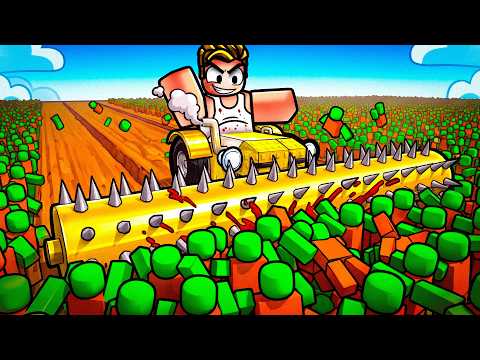
Build and Kill Zombies is a Roblox Simulation/Sandbox experience by Zombie Car Crusher. Players roll vehicle parts, assemble a custom car, add weapons and defenses, and drive into zombie waves to earn Cash.
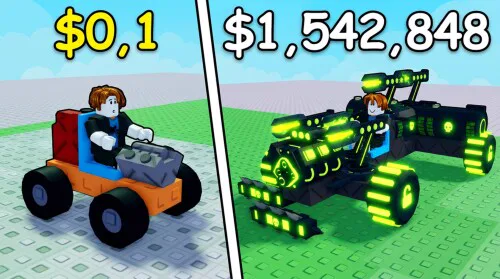
Each run feeds the next one: better engines, fuel, wheels, weapons, supports, and skills help the car travel farther and survive more enemies. Five-player servers, co-op systems, Community Codes, and timed boss events add a social layer to the build-and-drive progression loop.
Developer
Zombie Car Crusher
Platform
Roblox
Genre
Simulation / Sandbox
Total Visits
3.6M+
Max Players
5
Active Codes
5
Explore Build and Kill Zombies
Choose a system below to plan your next zombie-crushing run.
Build and Kill Zombies Codes
Redeem the latest working Build and Kill Zombies codes for Cash, starter car parts, Passenger Seats, and Hacker Tokens. The current verified set contains five active codes, including two event codes that provide Hacker Tokens for the ongoing Hacker Event.
COMMUNITY1,000 Cash, 1 Small Engine, and 1 Small Tank
CashDrop500 Cash
MOREFRIENDS2 Passenger Seats
HACKER50 Hacker Tokens
1x1x1x1150 Hacker Tokens
Build and Kill Zombies Beginner Guide
Build and Kill Zombies revolves around rolling parts, assembling a working vehicle, driving into zombie waves, and reinvesting the Cash you earn. New players should get a functional engine, fuel source, wheels, and support weapon before worrying about expensive or oversized builds.
- 1Finish the opening tutorial so the main Shop and Community Codes features are available.
- 2Roll CAR PARTS and secure the basic categories needed for a working vehicle: Blocks, Engine, Wheels, and Fuel.
- 3Roll a SUPPORT and add a weapon or defense after the car can already move and carry enough fuel.
- 4Enter Build Mode, place the required parts on the chassis, and keep the design light enough for the wheels and engine to move it.
- 5Start a Drive and crush zombie waves while watching fuel, vehicle survivability, and total distance.
- 6Spend earned Cash on better rolls and permanent Skills, then rebuild and push farther on the next run.
Build and Kill Zombies Car Parts Guide
The CAR PARTS machine supplies the main pieces that determine whether a build can move, carry weight, and survive long enough to earn Cash. Blocks, Engines, Wheels, and Fuels each solve a different problem, so a balanced vehicle is more useful than simply stacking every rare-looking part.
Blocks form the vehicle body and provide the structure used to mount other components.
Engines provide the power needed to move the completed vehicle and support heavier builds.
Wheels carry the build and can become a limiting factor when too much weight is added.
Fuel parts determine how long the vehicle can remain on a Drive before the run ends from an empty tank.
The Small Engine is a documented starter engine and is also included in the COMMUNITY code reward.
The Small Tank is a documented starter fuel part and is also included in the COMMUNITY code reward.
Build and Kill Zombies Car Build Guide
A strong car needs enough power and fuel to move its total weight while still leaving room for weapons and defenses. Instead of copying one permanent meta build, use a repeatable build order that works as your available parts change from roll to roll.
- 1Start with a compact chassis rather than placing every Block you own.
- 2Install the Engine before committing to a heavy body so you know the build has enough power.
- 3Add Wheels that can support the current vehicle weight without straining under the load.
- 4Add enough Fuel for the distance you want to reach; a high-damage car still fails when the tank reaches zero too early.
- 5Mount SUPPORTS such as weapons or defenses only after the basic vehicle can drive reliably.
- 6Run the build once, identify whether power, fuel, durability, or damage ended the attempt, then change only the weak point.
Build and Kill Zombies Skills Guide
Skills are permanent progression upgrades purchased with the Cash earned from driving and crushing zombies. They matter because rolled vehicle parts change from run to run, while a stronger skill foundation continues helping future builds.
Luck upgrades improve the long-term rolling side of progression and help future part hunts.
More Support upgrades expand how much support equipment can contribute to a completed build.
Gold Roll appears later in the documented skill progression and supports higher-value rolling.
Skills are bought with Cash after runs and continue supporting later build attempts.
Buy permanent Skills when the benefit improves repeated runs rather than spending every payout on another random part roll.
Build and Kill Zombies Cash and Progression Guide
Cash connects every major system in Build and Kill Zombies, from new part rolls to permanent upgrades. Longer drives and more zombie kills increase the value of a run, so the most reliable farming strategy is to improve the exact weakness that ended your previous attempt.
- 1Start a Drive with a complete vehicle rather than spending all available Cash before testing the build.
- 2Earn Cash by travelling farther and crushing zombies during the run.
- 3Identify why the run ended: insufficient fuel, weak movement, low durability, or not enough damage.
- 4Spend the next payout on the system that caused the failure instead of upgrading every category at once.
- 5Use free code rewards such as COMMUNITY and CashDrop before paying for additional early rolls.
- 6Repeat the build, drive, earn, and upgrade loop while measuring whether each new setup pushes your distance record farther.
Build and Kill Zombies Hacker Event Guide
Hacker Event Part 2 is the current limited-time event and centers on Hacker Tokens plus the King 1x1x1x1 boss. The HACKER and 1x1x1x1 codes provide 200 Hacker Tokens combined, giving new players an immediate event-currency boost before attempting the boss content.
The current limited event is active during the September 2026 update cycle.
King 1x1x1x1 is the named boss tied to the Hacker Event.
This active event code awards 50 Hacker Tokens.
This active event code awards 150 Hacker Tokens.
The two current event codes provide 200 Hacker Tokens combined.
Bring a reliable vehicle with enough fuel, survivability, and damage instead of entering the boss window with an untested build.
Build and Kill Zombies Controls and Co-op Guide
Build and Kill Zombies supports a build-and-drive control scheme plus online co-op inside five-player servers. PC players use separate build, drive, placement, and movement inputs, while co-op lets several players bring their own vehicles into the same zombie and boss environment.
B is used to enter Build Mode from the normal vehicle setup flow.
F is used for the Drive or Return action shown by the current interface.
WASD provides the standard driving movement controls on PC.
R rotates a selected part while building.
X cancels the current placement action in Build Mode.
Online co-op is available, and the experience supports servers of up to five players.
Frequently Asked Questions
Quick answers about Build and Kill Zombies on Roblox.
Build Smarter and Survive Farther
Claim your free rewards, assemble a stable first car, improve fuel and damage one upgrade at a time, and turn every zombie run into a stronger build for the next drive.